The AI spreadsheet that understands plain English.
No formulas required.
Build budgets, track expenses, and invoices. Import Excel and the formula auditor runs in your browser. An AI question sends a summary of the cells it needs.
Like texting a spreadsheet expert
Type what you want. Get a real spreadsheet back.
| Category | Budget | Actual |
|---|---|---|
| Rent | $1,500 | $1,500 |
| Utilities | $180 | $162 |
| Groceries | $400 | $385 |
| Total | $2,080 | $2,047 |
1. SUM in B11 skips B10 (range gap)
2. Row 7 amount is 8× the column average (outlier)
No other spreadsheet catches these errors
The smartsh!t Auditor detects range gaps in SUM formulas, inconsistent column patterns, statistical outliers, circular references, and hardcoded magic numbers — automatically, in your browser, with zero latency.
Try the Auditor FreeA full spreadsheet, not just a chatbot
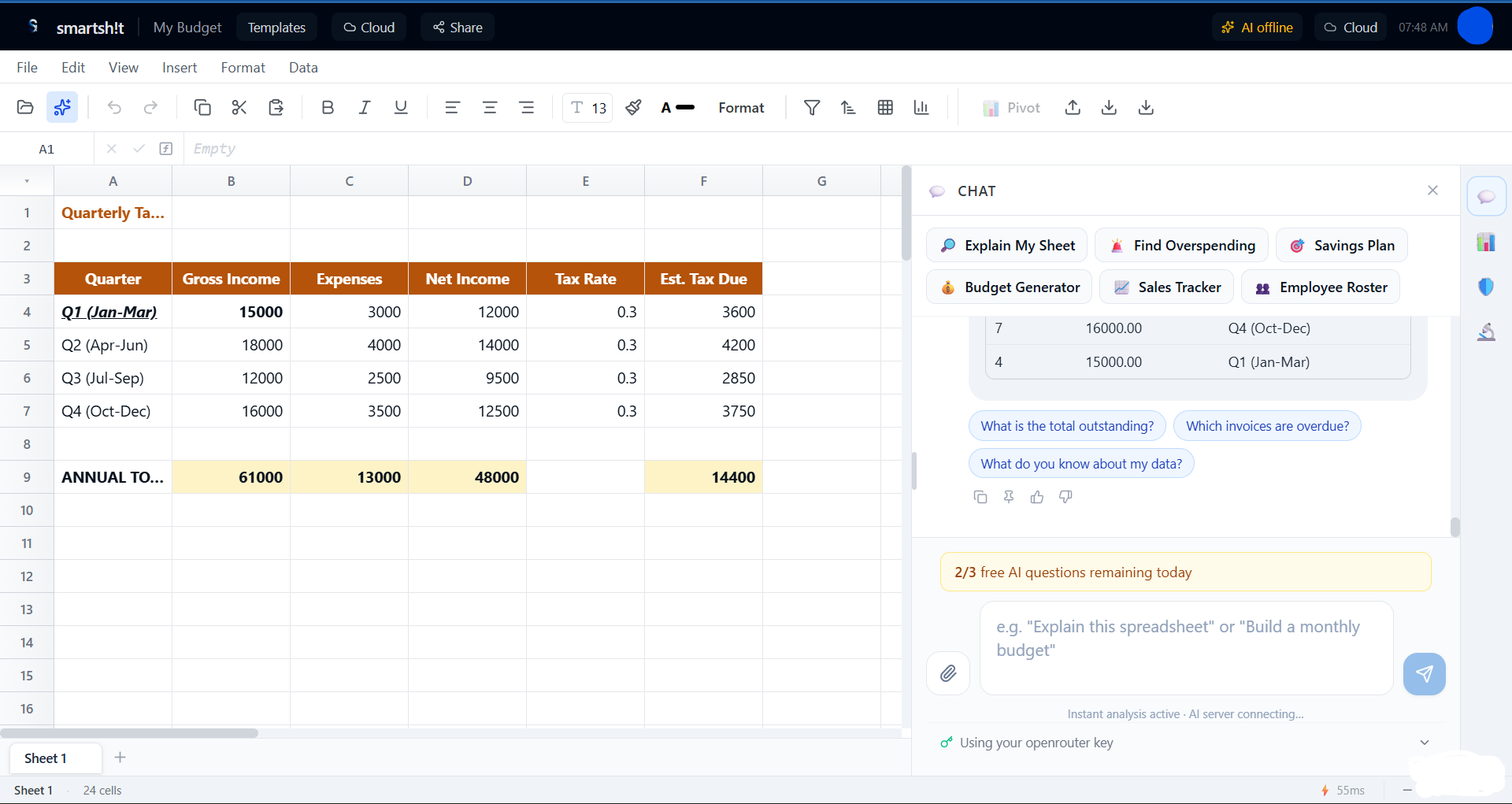
Everything you'd expect from a desktop spreadsheet — plus AI that actually understands your data.
Built for people who hate spreadsheets
Describe what you want and let the AI handle the rest.
The Auditor catches formula errors
A local formula check looks for skipped cells in SUMs, inconsistent formula patterns, statistical outliers, and hardcoded constants. It runs in your browser, with no account. Auto-fix is limited on the free plan.
Preview before anything changes
Every AI suggestion shows an interactive diff preview first. Approve or reject with one click. Your data is never modified without explicit consent — building trust that no other AI spreadsheet tool offers.
The workbook stays in your browser
The file is not uploaded unless you turn on cloud backup. The auditor stays local. An AI question sends that question and a cell summary to our server, or to your own provider if you bring a key.
Plain English, real results
Say "track my expenses" or "build an invoice" and it happens. The AI spreadsheet assistant handles formulas, formatting, and calculations — a true Excel alternative for people who want results without the learning curve.
Excel import and export
Bring your existing .xlsx and CSV files. Export back anytime. Works alongside your current workflow as a modern spreadsheet replacement — no vendor lock-in, no migration friction.
Fast hybrid AI architecture
Common requests like budgets, invoices, sorting, and formatting resolve locally in milliseconds — no API round-trip needed. Complex questions use cloud AI with streaming responses so you're never waiting on a blank screen.
50+ ready-made templates
Monthly budgets, expense trackers, invoice generators, sales dashboards, project trackers, GPA calculators, workout logs, and more. Professional-grade spreadsheet templates built by AI in seconds.
Bring Your Own API Key
Use your own OpenRouter, Groq, or OpenAI key. We do not bill those calls. The prompt and cell summary go to the provider you chose, and that provider bills the tokens.
Simple pricing
Free to start, upgrade when you need more AI.
Free
- Full spreadsheet with formulas
- 7 AI questions per day
- All templates (budgets, invoices, trackers)
- Excel and CSV import/export
- Auditor scans + 3 auto-fixes
- 1 cloud workbook
- Read-only share links
- Workbook stays in your browser
- Bring Your Own Key (unlimited AI)
Pro
- Everything in Free
- Unlimited AI questions
- Unlimited auto-fix
- Unlimited cloud backup and sync
- Version history (restore any save)
Pro Annual
- Everything in Pro
- Unlimited AI questions
- Unlimited auto-fix
- Unlimited cloud backup and sync
- Version history (restore any save)
- Save $25 vs monthly
smartsht vs Excel and Google Sheets
An AI spreadsheet alternative with a lower starting price and local-first privacy.
| Feature | smartsh!t | Excel + Copilot | Google Sheets + Gemini |
|---|---|---|---|
| Starting price | $0 | $20–30/mo | $20–30/mo |
| Formula error detection | ✅ Automatic | Manual only | ❌ |
| Preview before changes | ✅ Always | Sometimes | ❌ |
| Data stays local | ✅ Default | ❌ Cloud required | ❌ Cloud required |
| Fast local operations | ✅ Instant sorting, formatting, templates | ❌ Always remote | ❌ Always remote |
| Bring Your Own Key | ✅ | ❌ | ❌ |
| No install needed | ✅ Browser-based | Desktop app | ✅ |
Ratings from people who used the app
Google star ratings only appear for verified reviews shown on this page. We do not publish placeholder scores.
Frequently asked questions
Straight answers about pricing, privacy, and what the app can do.
Is smartsht free?
Yes. The Free plan includes the full spreadsheet, templates, Excel/CSV import and export, the formula auditor, and 7 AI questions per day. You can also bring your own API key (BYOK) for unlimited AI on your own provider account at no subscription cost.
How much is Pro?
Pro is $7 per month at the early adopter rate (listed vs $12/mo). It unlocks unlimited AI questions, unlimited auto-fix, unlimited cloud backup and sync, and version history.
Does my spreadsheet data stay private?
The workbook stays in your browser unless you turn on cloud backup. The formula auditor runs locally. An AI question sends that question and a summary of relevant cells to our server, or to the provider on your own API key.
Can I import Excel files?
Yes. You can import existing .xlsx and CSV files and export back anytime. smartsht is designed to work alongside Excel and Google Sheets without vendor lock-in.
What does the formula auditor catch?
The auditor checks for issues like skipped cells in SUM ranges, inconsistent formula patterns, statistical outliers, and hardcoded constants — then can propose fixes with a preview before anything changes.
Do I need to install anything?
No. smartsht runs in the browser. Open smartsht.com/app on Windows, macOS, Linux, or a mobile browser — no desktop install required.
Is smartsht an Excel alternative?
Yes, for everyday work like budgets, invoices, and expense tracking. You get a real spreadsheet with formulas, charts, and pivot tables, plus an AI assistant. Import and export .xlsx so you can keep using Excel when you need to.
Is this a Google Sheets alternative?
It is a browser spreadsheet you can use instead of Google Sheets for personal and small-business files. The workbook stays in your browser unless you turn on cloud backup. Collaboration is view-only share links today, not live multiplayer editing.
What is an AI spreadsheet?
An AI spreadsheet lets you describe the sheet you want in plain English. smartsht builds or edits real cells and formulas, shows a preview before applying changes, and can audit formula errors. It is a full spreadsheet, not a chat window that dumps a table.
Stop fighting formulas.
Free to start, private by default, and ready when you are.